Pages to send
Choose pages for PDF or JPG; standard or compact quality. Your complete document stays saved.
Open video Pila
Pila
No account · No cloud · No watermark
Scan paperwork, choose which pages to send and cover details in a new copy. Free PDF and JPG export, without a watermark.
Get it on Google Play free · Android 8+Pila Pro: one purchase. No subscription. Google Play shows your local price.
See it in Pila
Choose pages and redact a copy for free. Keep a reusable signature with Pro.
Choose pages for PDF or JPG; standard or compact quality. Your complete document stays saved.
Open videoChoose the details to hide in a new copy. Review it before sharing. Your original, previous exports and backups stay saved.
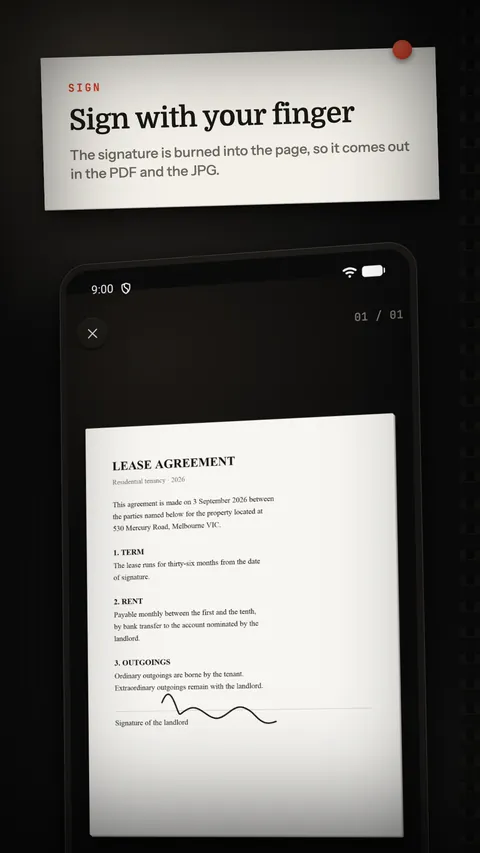
Open videoDraw and save your signature. Reuse it, move it and resize it before applying it to a document.
Open videoReal app captures with sample documents. Interface in English; titles and captions in English. Three 15-second videos, without audio.
Missing your old scanner?
Whiteboards, business cards and recognised text: useful tools with document processing on your device.
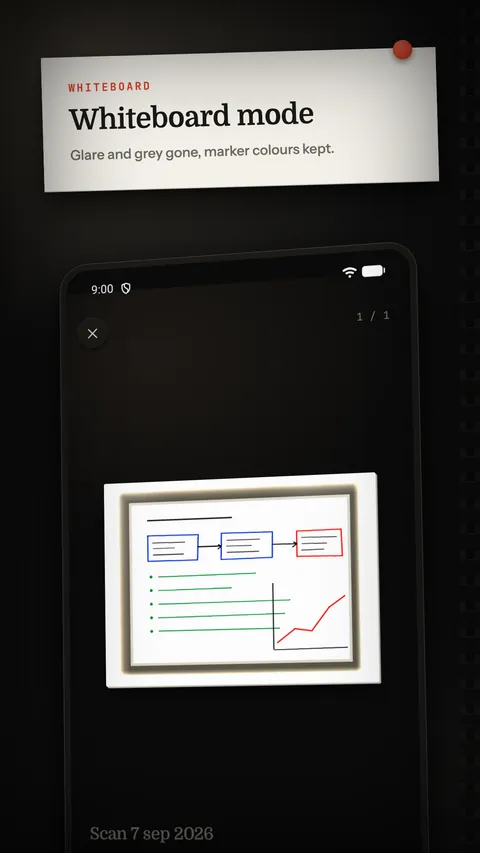
Point the camera at a whiteboard. Pila divides out the glare and the grey and leaves the blue, red and green strokes as they were.
Recognise a card and Contacts opens with the name, phone, email and company already filled in. No permission needed.
The recognised text is read with the phone's own voice. Useful for long letters, useful for tired eyes.
Any recognised page can be saved as a Word document, paragraph by paragraph, without a library and without the cloud.
The recognition models ship inside the app. Pick the script by hand when a document is not in your phone's language.
The app
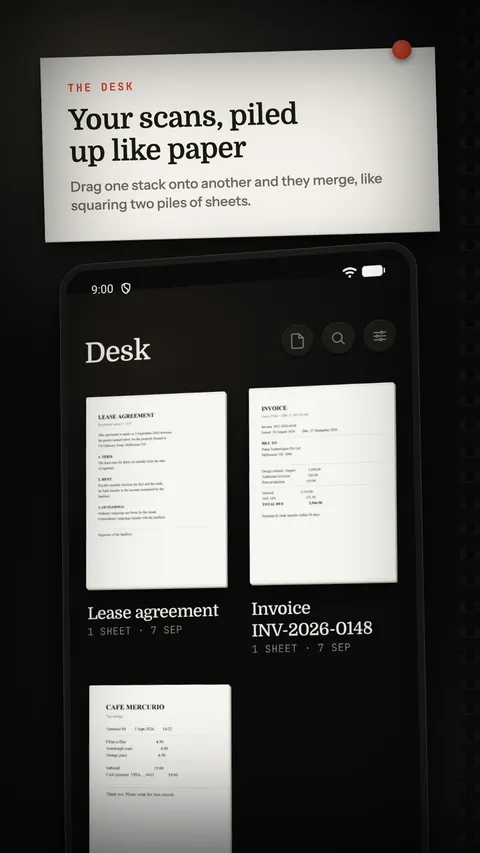
Real Pila screens: the desk, signing and the whiteboard filter. The app interface is available in 13 languages.
Everything else
Your scans sit on a dark desk as stacks of paper. Drag one stack onto another and they merge, the way you square up two piles of sheets. Reorder sheets by dragging them.
Private by design
There is no sign-up and no sign-in. Scans live in the app's private storage and go away with the uninstall.
Edges, straightening and OCR happen on the device. No image and no text is uploaded to be processed.
You choose sharing, exports, backups and device transfers. Advertising, analytics and purchases use online services.
Pricing
Scanning, page selection, standard or compact export, favorites and redacted copies are free. The free plan includes ads and offers optional rewarded ads for text recognition.
Save and reuse your drawn signature, export in high resolution and add tools for recurring documents. Pro also removes ads and recognizes new pages automatically.
The price is shown in your currency inside Google Play. Purchases are handled by Google Play Billing: Pila never sees your payment details.
Free and Pro
| Tool | Free | Pila Pro |
|---|---|---|
| Pages to send | Choose pages for PDF or JPG; standard or compact quality. Your complete document stays saved. | Also create a new stack from selected pages and export in high resolution. |
| PDF size | Compact PDF and the actual generated size. | Choose a target in MB and save a profile. The target may not be reached; review the achieved size. |
| Saved signature | — | Draw and save your signature. Reuse it, move it and resize it before applying it to a document. |
| Document name | Rename your document and export file manually. | Get a suggested name from recognized text. Edit it and accept it when ready. |
| Favorites and client tags | Favorites, search, and viewing or filtering existing tags. | Also edit tags for clients or tasks. |
| Receipt CSV | — | Review merchant, date, total and currency before exporting your receipts as CSV. |
| Redacted copy | Choose the details to hide in a new copy. Review it before sharing. Your original, previous exports and backups stay saved. | Included, with the same review before sharing. |
Name suggestions and receipt fields use existing OCR and local rules, mainly for English and Spanish. Review the result before using it.
Questions
OCR, filters, signatures and exports work offline. The scanner may need an initial component download. You choose sharing, exports, backups and device transfers. Advertising, analytics and purchases use online services.
Pila stores documents in its private storage on your device. Uninstalling removes that storage; copies you exported or shared remain wherever you sent them.
Export a backup, a zip file, and keep it wherever you like: Downloads, a pen drive or your own cloud. On the new phone, restore it from Settings. Restoring adds the stacks that are missing and never overwrites the ones already there.
No. Pro is a one-time purchase at the local price shown in Google Play. It is tied to your Play account and can be restored on a phone using the same account.
The models for Latin, Chinese, Japanese, Korean and Devanagari scripts ship inside the app. Each of them also reads Latin. Arabic has no recognition model yet, although the interface is available in Arabic.